Open the old Control Panel
At the top of the old Control Panel, set View to icons
Select Power Options
On the left, click 'Choose what the power buttons do'
At the top right, click 'Change settings that are currently unavailable'
Under 'Shutdown settings' uncheck 'Turn on fast startup'
#2: Disable/Update Intel Management Engine Interface
This is generally located in Device Manager, System Properties
You can disable Power Management on it by going to Power Management tab, uncheck "Allow the computer to turn off this device to save power.".
If that is missing, you can update this driver, remove it and let windows reinstall it, or try disabling it.
#3: Disable/Update AMD PSP
This is in Device Manager under Security Devices
#4: Install Firmware Updates and Windows Updates
#5: Fix any corruption in Windows Files
https://helpfultechnotes.com/guide/190
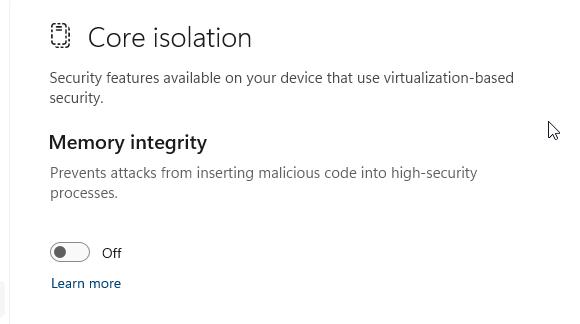
#6: Disable Memory Integrity.
I had an AMD based HP Envy 2-in-1 Laptop with this issue, and this was the only fix that worked.
Disable "Memory Integrity" located in Windows Security, Device security, Core isolation.